Tim Hortons
- 3.2
- Rating
- 5.00M
- Installs
- Free
- Price

 Analysis by App-foxy
I use the Tim Hortons app as a practical shortcut rather than as a reason to change my coffee routine. Its main value is simple: I can choose food and drinks, adjust an order, and send it ahead instead of standing at the counter deciding while a line forms behind me. That sounds modest, but for a regular Tim Hortons customer, the saved attention can matter more than a flashy design.
My overall view is positive but qualified. Tim Hortons works best when you already know what you want and need a faster way to place the order. It is less convincing when you are browsing casually, trying to compare every option, or expecting the smoothest possible experience every time. The app is free, aimed at Everyone, and comes from The TDL Group Corp., so it feels like a direct companion to the chain rather than a broad restaurant-discovery tool.
How the ordering experience feels in everyday use
The first useful distinction is between planning and impulse ordering. If I am leaving home and already have a drink and breakfast in mind, the app gives me a clear reason to open it. I can work through the menu, customize the items I want, and place the order before arriving. That is a much better fit than opening it with no idea what to eat and hoping the app will help me discover something exciting.
You May Also Like

 Blood Strike: 2.5 Anniversary
Blood Strike’s Loadouts Turn Every Drop Into a Tactical Gamble
A close look at Blood Strike’s custom loadouts: how fast access to signature weapons reshapes its battle royale rhythm, rewards preparation, and narrows the gap between fights.

 Pandora - Music & Podcasts
Pandora’s Music Is Easy to Start, but Harder to Recover
Pandora’s strength is its low-effort path from a seed to a station. Its weak spot is how much confidence it asks you to place in connection, setup, and quiet recovery.

 8 Ball Pool
 Is Built on Rivalries, Rematches, and Routine
A close look at the rivalries, rematches, shared routines, and unanswered safety questions that turn a quick pool match into a persistent mobile community.

 Samsung Music
’s Quiet Strength Is Playing What You Already Own
Its reach comes less from spectacle than from dependable access to a personal library. That simplicity is both the app’s strongest retention engine and its ceiling.

 AccuWeather: Weather Radar
AccuWeather Review: A Quick, Clear Forecast for Everyday Decisions
For everyday plans, the best forecast is the one you can understand quickly. AccuWeather makes rain timing, radar, and local conditions easy to act on, with a few trade-offs.

 Hill Climb Racing
Why Hill Climb Racing Still Turns Crashes Into One More Run
A tiny car, a bumpy hill and one more upgrade: Hill Climb Racing keeps resurfacing because its simple chaos makes every near-miss feel personal.
More From Our News Desk
View All News


For a weekday morning, the workflow is easy to understand. I choose the location that makes sense for my route, select food or drinks, review the order, and send it through. The benefit is not just avoiding a queue. Ordering ahead also lets me make decisions privately, which is useful when I want to check an item carefully, adjust a drink, or build a breakfast without holding up people behind me.
Customization is the feature I notice most. Coffee orders can be personal, and small changes are easier to make when the choices are displayed on screen rather than exchanged quickly at a counter. The same applies to food: I can review the selected item before paying instead of relying on memory after a rushed verbal order. I still check the final basket closely, because convenience does not remove the need to verify size, add-ons, and quantities.
A realistic example is a short commute with a narrow arrival window. I might place a coffee and breakfast order while preparing to leave, then choose a nearby restaurant along the route. In that situation, the app earns its place on my phone because it turns a stop into a planned step. If I am already inside the restaurant, however, the advantage becomes smaller; ordering directly may be quicker than unlocking the phone, navigating the menu, and waiting for the digital order to process.
Where the app is genuinely useful
The strongest part of the experience is control. I can take a moment to inspect my selections, especially when ordering for more than one person. That matters when one person wants a customized drink, another wants breakfast, and someone else only needs a snack. A paper menu or hurried counter conversation can work, but the app creates a visible record of what I intended to order before I finish.
It is also convenient for repeat habits. I do not need a full restaurant guide when I already know the brand and usually return to similar items. The app’s purpose is narrower than a delivery marketplace, and that narrow purpose is a strength for loyal customers. I am not comparing dozens of restaurants; I am trying to get a Tim Hortons order arranged with less friction.
Another useful habit is reviewing the basket as a separate step rather than treating checkout as an afterthought. I recommend checking the selected restaurant, item variations, and total contents before confirming. This is especially important for group orders, where one missed drink or duplicated item can turn a convenient pickup into a second trip. The app makes the review possible, but the user still has to use that moment carefully.
The app is also a reasonable option for people who dislike speaking their order aloud. I would not call that a special accessibility claim, but in ordinary use, a visual menu can make the process feel calmer. Someone ordering unfamiliar combinations can read at their own pace instead of making a decision under pressure. That is a small design advantage with a real effect on confidence.
Customization is helpful, but it adds responsibility
Customization can improve accuracy, yet it can also make an order more complicated. Every additional choice creates another opportunity to select the wrong option or overlook what is already included. My advice is to customize only what matters to you, then pause at the review screen. A simpler order is usually easier to verify than a highly modified one.
This trade-off is particularly noticeable when ordering for a family or a small office. The app can keep separate items together in one digital basket, but the person placing the order becomes responsible for checking every detail. I would use it for a few people without hesitation. For a large gathering, I would slow down and compare the final list against my notes before submitting, because digital convenience can hide mistakes just as easily as it prevents them.
There is also a practical difference between “ordering ahead” and “having food instantly ready.” I treat the app as a way to begin the process earlier, not as a guarantee that every pickup will feel immediate. The usefulness depends on the restaurant, the time of day, and how busy the location is. If I am in a hurry, I leave enough margin rather than planning my entire schedule around a perfectly timed handoff.
The meaningful weakness: convenience is not always consistency
My main criticism is that the app’s value depends heavily on the surrounding ordering experience. A digital menu can be clear, but it cannot make a busy restaurant prepare an order faster than its workload allows. When the location is crowded, the promise of a quick pickup can feel less certain. That does not make the app pointless, but it means I would not rely on it for an appointment or a departure with no spare time.
The app can also feel unnecessary for a very simple purchase. If I am standing at an empty counter and want one standard drink, the direct route is often more efficient. Opening the app, finding the location, selecting the item, and completing the order introduces steps that do not always save time. The best use case is not “always order digitally”; it is “use digital ordering when it removes a real obstacle.”
Browsing is another weaker area from my perspective. The app is functional when I have a destination in mind, but I do not find it as useful as a general food app for discovering something new across different restaurants. That is not an unfair comparison—the services have different purposes—but it matters when deciding what to install. If you want restaurant variety, delivery comparisons, or broad meal inspiration, a marketplace app may suit you better.
I also think the experience rewards familiarity. Returning customers know the menu language, understand their usual modifications, and recognize which location is convenient. A first-time visitor may need more patience to understand the choices and decide what belongs in the basket. I would not discourage a new customer from trying it, but I would recommend browsing without rushing before relying on it for a time-sensitive order.
What the numbers suggest about its place in the market
The app has reached more than five million installs, which fits its role as a widely used companion for a major coffee-and-food chain. Its average rating is 3.0 from roughly 134,000 ratings, with about 3,500 written reviews. I read that combination as a sign of a useful but imperfect tool: many people find enough value to keep using it, while the experience clearly does not satisfy everyone equally.
Those figures do not change my hands-on conclusion. A large audience can confirm that the app is relevant, but it does not guarantee that every ordering session will be smooth. I would judge it by the specific question that matters to me: does ordering ahead, customizing, and reviewing the basket make my visit easier than walking up to the counter? Often it does. Not always.
The app is free, so the decision is mainly about space, habit, and convenience rather than purchase cost. It was released on July 27, 2017, and the current version is 7.1.523. It supports Android 7.0 and later, which makes it accessible to many older devices, although the actual feel of the app will still depend on the phone and operating system in use.
Who should use it, and who should skip it
I would recommend Tim Hortons to regular customers who order similar drinks or meals, people who pass a location during a commute, and anyone who prefers to review a customized order visually. It is also a good fit for households where one person places several orders at once and wants a single place to check the details before pickup.
I would be more cautious if you visit only occasionally, dislike creating digital routines, or usually make spontaneous one-item purchases. In those cases, the app may add more steps than it removes. I would also steer away from depending on it when a delay would cause a serious problem. Ordering ahead can improve the process, but I would still allow breathing room around busy periods.
Compared with ordering at the counter, the app wins on privacy, preparation, and customization review. Counter service wins on immediacy when the line is short and on the ability to ask a person a quick question. Compared with a delivery marketplace, Tim Hortons wins when I want a direct pickup workflow and already know the restaurant. The marketplace wins when I want to compare several restaurants or arrange delivery. Neither option is universally better; the right choice depends on whether the problem is waiting, deciding, or finding food in the first place.
Small habits that make the app work better
I get the most from it when I separate three decisions: where I am picking up, what I am ordering, and whether the final basket is correct. Choosing the location first prevents me from building an order around the wrong stop. Deciding the main items before opening the menu reduces aimless browsing. Reviewing the basket last catches the mistakes that are easiest to miss when I am tapping quickly.
For customized drinks, I avoid changing several options without checking the result. I also keep group orders organized mentally rather than assuming the basket will explain everything later. If I am ordering for someone else, I confirm their preferences before starting. This sounds obvious, but the app makes it easy to add items rapidly, and speed can work against accuracy.
When timing matters, I treat the pickup as a flexible target rather than an exact promise in my personal schedule. I might order before leaving, but I would not cut my travel time so closely that a busy location ruins the plan. That is the most important trade-off I discovered: the app can reduce ordering friction, but it cannot remove real-world restaurant workload.
My final recommendation
Tim Hortons is a useful, focused ordering app, not an essential food-discovery platform. I like it for planned visits, repeat orders, and situations where customization or a long queue makes counter service inconvenient. I appreciate that it is free and that its purpose is immediately understandable once I know which restaurant I am using.
Its limitations are equally clear. A simple walk-in order may be faster, busy locations can weaken the benefit of ordering ahead, and people looking for broad restaurant choice should use a different kind of app. The middling 3.0 average rating also supports a measured recommendation rather than blind enthusiasm.
My verdict is straightforward: install it if Tim Hortons is already part of your routine and you often want pickup with less conversation or waiting. Use the review screen carefully, leave time for busy periods, and do not mistake digital ordering for a guaranteed instant handoff. For the right customer, it is a practical improvement to an ordinary coffee stop; for everyone else, the counter may remain the simpler option.
FAQs for Tim Hortons
01What features does the Tim Hortons app offer?
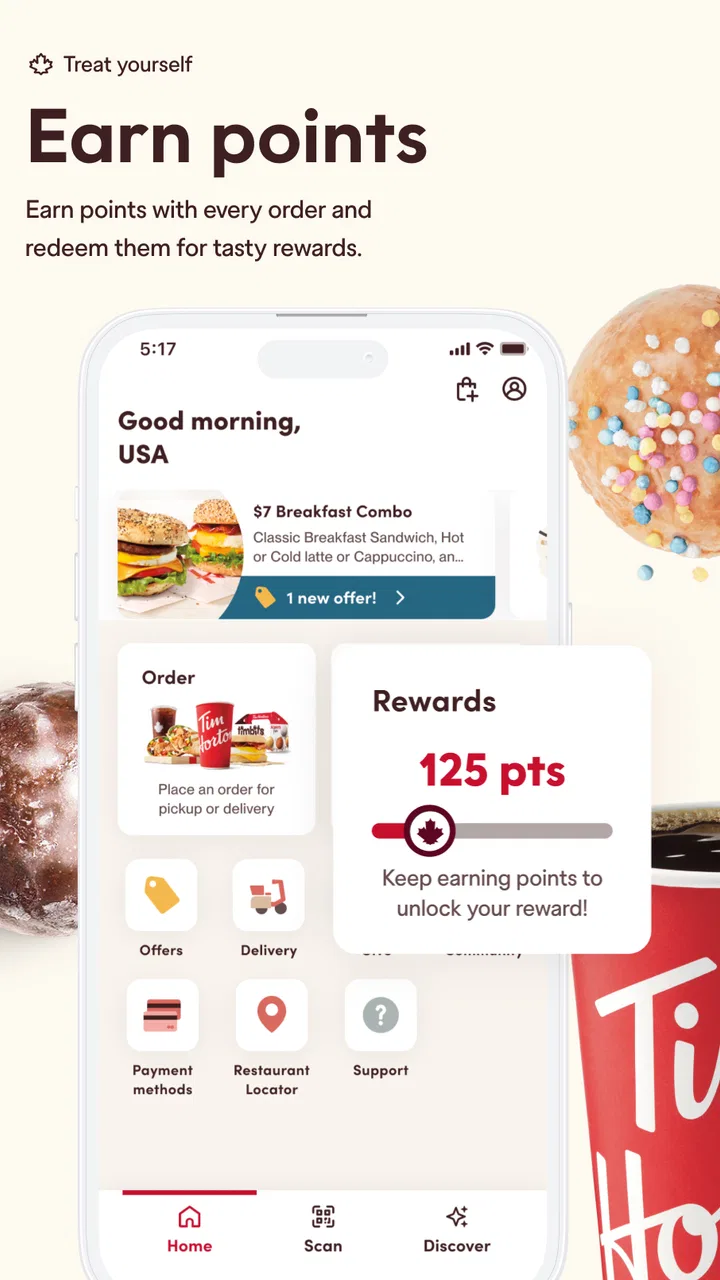
The Tim Hortons app provides a range of features designed to enhance your coffee run experience. It includes mobile ordering, contactless payment, and a rewards system where every purchase earns points towards free items. Additionally, you can customize your orders and find nearby locations easily.
02Is the Tim Hortons app available for both Android and iOS devices?
Yes, the Tim Hortons app is available for download on both Android and iOS platforms. You can find it on the Google Play Store for Android devices and the Apple App Store for iOS. Ensure your device meets the necessary system requirements for a smooth experience.
03How does the Tim Hortons rewards system work?
The Tim Hortons rewards system allows users to earn points with every eligible purchase. Once you accumulate enough points, you can redeem them for free menu items. Simply scan your app at checkout or use the mobile ordering feature to ensure your points are added.
04Can I customize my orders through the Tim Hortons app?
Yes, the app offers extensive customization options for your orders. You can modify everything from the type of milk in your coffee to the toppings on your sandwich. This ensures you get your order just the way you like it, making your visit more personalized.
05What should I do if I encounter issues with the app?
If you experience any problems with the Tim Hortons app, first try restarting the app or your device. If issues persist, you can contact customer support through the app's help section or visit the Tim Hortons website for further assistance. They are committed to resolving any issues promptly.
Pros
- User-friendly interface for easy navigation.
- Loyalty program rewards frequent visits.
- Customizable order options available.
- Convenient mobile payment feature.
- Real-time order tracking enhances experience.
Cons
- Limited menu customization options.
- Occasional app crashes disrupt use.
- Requires location access for some features.
- Inconsistent delivery times in certain areas.
- Significant battery usage during prolonged use.

Tim Hortons
Gallery